Small Studio Toolkit
A practical step-by-step guide to small studio toolkit, including preparation, instructions, common issues, tips, and next steps.
Small Studio Toolkit
This guide explains how to approach small studio toolkit, including the preparation, practical steps, common mistakes, and final checks that help you finish with confidence.
Before You Start
Step-by-Step Instructions
Quick Reference
Common Problems When You Build a Small Studio Toolkit
Even with careful planning, you might run into a few common issues when setting up your small studio. Here are some problems and their straightforward solutions to help you troubleshoot:
Problem: Echoing or Hollow Sound in Audio Recordings
If your recordings sound like you're in an empty room, the problem is likely poor acoustics. Sound waves are bouncing off hard surfaces, creating echoes.
- **Solution:** Improve your space's acoustics. Place **blankets, pillows, or thick curtains** strategically around your recording area. A rug on a hard floor can also make a significant difference. Even opening up a closet full of clothes behind your mic can help absorb sound.
Problem: Computer Runs Slow or Crashes During Creative Tasks
Demanding software for video editing, graphic design, or music production can push your computer to its limits, especially if it's an older model or has limited RAM.
- **Solution:** Close **all unnecessary background applications** before starting your creative work. Ensure your computer's operating system and drivers are updated. Check if your computer meets the **minimum system requirements** for your software. If you're running out of storage, freeing up space or using an external hard drive can help.
Problem: Poor Video Quality or Dark Images
Even a good camera needs good light. If your videos are grainy, dark, or have harsh shadows, your lighting setup needs attention.
- **Solution:** Adjust your lighting. Ensure your **main light source is in front of you**, not behind. Add more light sources if needed, and try to **diffuse harsh light** using a white sheet, parchment paper, or a dedicated softbox. Experiment with the camera's settings like ISO (for light sensitivity) and aperture (for brightness and depth of field) if your camera allows.
Problem: Neck, Back, or Wrist Pain After Working
Discomfort is a clear sign that your ergonomic setup is not quite right, or you're not taking enough breaks.
- **Solution:** Re-evaluate your ergonomics. Adjust your chair height, monitor position, and keyboard/mouse placement. Ensure your **wrists are straight** when typing. Most importantly, **take regular short breaks** (every 30-60 minutes) to stand, stretch, and walk around.
Problem: Constant Distraction from Clutter
A disorganized workspace can lead to mental clutter, making it hard to focus and hindering your creative flow.
- **Solution:** Implement a strict organization system. Use **cable ties** for wires, **desk organizers** for small items, and **wall shelves** or drawers for less frequently used gear. Adopt the mindset of "a place for everything, and everything in its place" to keep your studio clean and efficient.
Advanced Tips for Your Small Studio Toolkit
Once you've mastered the basics and feel comfortable with your small studio setup, you might be ready to explore ways to enhance its capabilities and improve your workflow. These advanced tips can help you take your creative space to the next level.
Invest in Targeted Acoustic Treatment
For those serious about audio recording (voiceovers, music production, podcasts), moving beyond blankets to dedicated acoustic treatment can make a huge difference. Consider placing **acoustic foam panels** on strategic wall points to reduce echoes, and **bass traps** in corners to control low-end frequencies. Even small panels can have a noticeable impact, especially in a compact room. Researching where sound waves reflect most in your space can help you place them effectively.
Upgrade to a Dual Monitor Setup
If your work involves complex software like video editors, digital audio workstations, or graphic design tools, a **second monitor** can dramatically improve your productivity. It allows you to spread out your workspace, keeping timelines on one screen while viewing previews or tool palettes on another. This reduces constant tab-switching and can make your creative process much smoother and faster.
Utilize a Dedicated Audio Interface
For higher-quality audio recording, especially if you're connecting multiple microphones, instruments, or professional-grade equipment, a **dedicated audio interface** is a wise investment. These devices convert analog audio signals into digital data with much greater fidelity than your computer's built-in sound card. They also often provide phantom power for condenser microphones and specialized inputs for instruments, offering cleaner sound and more control.
Explore Macro Pads or Stream Decks
To speed up repetitive tasks in your software, consider a programmable **macro pad** or a **stream deck**. These devices have customizable buttons that can be programmed to perform complex actions or keyboard shortcuts with a single press. They can save you significant time by automating frequently used functions in your video editor, streaming software, or design programs, keeping your focus on creativity.
Implement a Robust Backup Strategy
Your creative projects are valuable, and losing them due to a hard drive failure or accidental deletion can be devastating. Develop a comprehensive backup strategy. This should include regularly backing up your work to an **external hard drive**, and ideally, to a **cloud storage service** (like Google Drive, Dropbox, or OneDrive) as well. The "3-2-1 rule" of backup suggests having three copies of your data, on two different types of media, with one copy off-site.
Experiment with Green Screen Technology
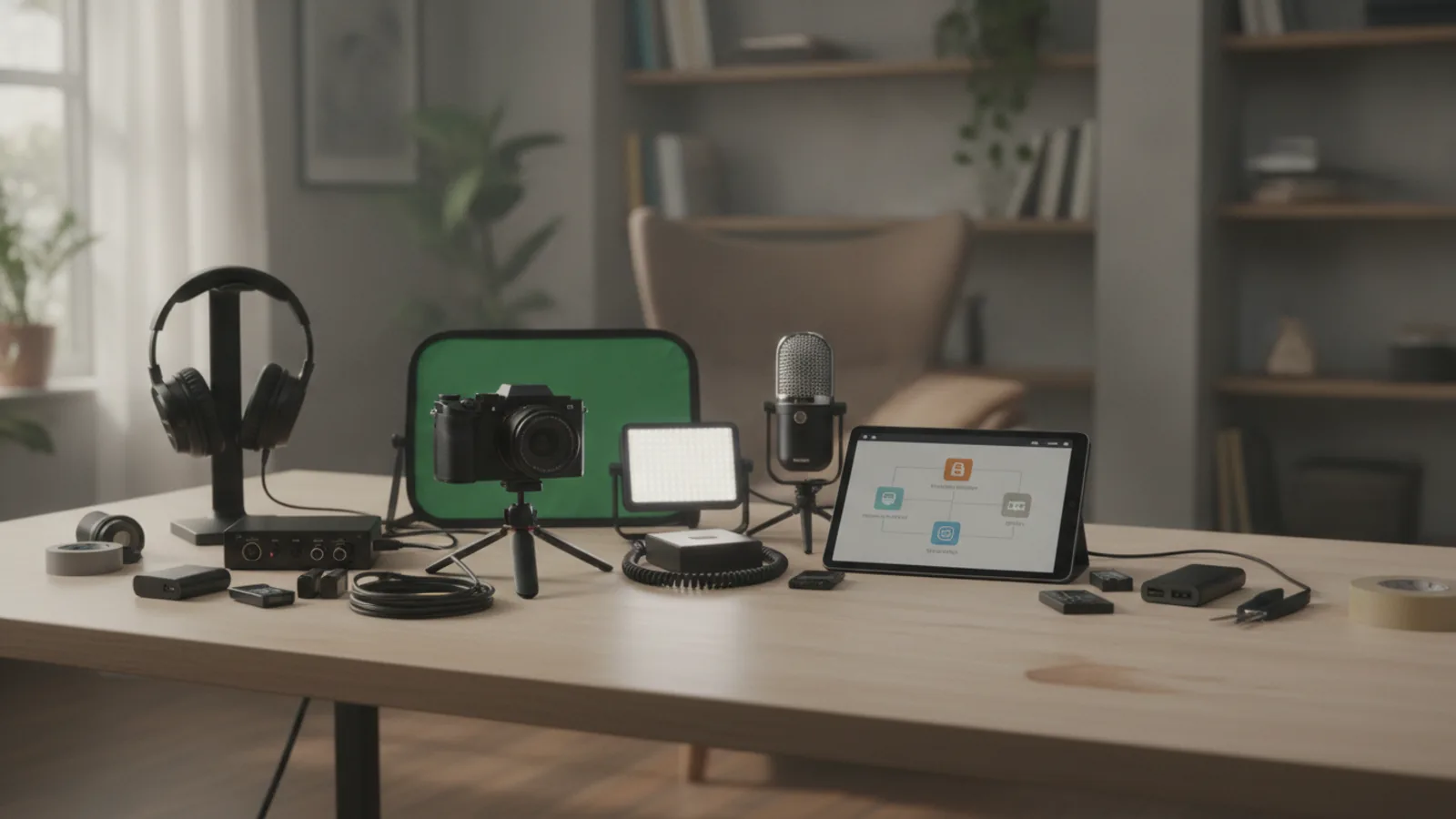
For video creators working in small spaces, a simple **green screen** (or blue screen) can open up incredible possibilities. By using chroma keying software, you can remove the background behind you and replace it with virtual sets, graphics, or any image you desire. This allows for diverse visual content without needing multiple physical backdrops, making your small studio feel much larger and more versatile.
Small Studio Toolkit FAQ
Q: What is the single most important piece of gear for a small studio?
A: The "most important" gear depends entirely on your primary creative goal. For a podcaster, a good microphone is paramount. For a video creator, a reliable camera and effective lighting are crucial. For a graphic designer, a powerful computer and a comfortable, accurate monitor are top priorities. Start by identifying your main objective, and that will guide your most essential purchase.
Q: Can I really set up a decent studio with a tight budget?
A: Absolutely! Many successful creators started with minimal gear. You can leverage existing equipment like your smartphone for video, use free software (e.g., Audacity, DaVinci Resolve Free), and optimize your space with household items. The most important "tool" is often your creativity and resourcefulness. You can always upgrade components over time as your needs and budget grow.
Q: Do I need a soundproof room for quality audio recording?
A: While a professional soundproof room is ideal, it's not strictly necessary for a small home studio. Focus instead on "sound treating" your space. This means minimizing external noise (closing windows, turning off noisy fans) and absorbing internal echoes with soft materials like blankets, pillows, curtains, or even clothes in a closet. Good microphone technique, like speaking close to the mic, also makes a huge difference.
Q: How do I handle very limited desk space?
A: When desk space is scarce, think vertically and compactly. Use **monitor arms** to mount your screen, freeing up desk surface below. Utilize **wall-mounted shelves** for storage. Opt for compact versions of equipment where possible. Keep only the absolute essentials on your desk and store everything else neatly away, perhaps in drawers or small storage bins that fit under your desk.
Q: What's the best way to learn new creative software?
A: The best way to learn new software is by doing. Start with online tutorials (YouTube offers countless free guides), explore the software's basic functions by experimenting, and don't be afraid to make mistakes. Begin with small, manageable projects to build confidence. Practice regularly and stay curious – there's always something new to learn!
Final Checklist for Your Small Studio Toolkit
Before you dive deep into your creative projects, use this checklist to ensure your small studio toolkit is fully prepared and optimized. Running through these points will help prevent common issues and set you up for success.
- ✓ Your core creative goals have been clearly defined, guiding all equipment and setup choices.
- ✓ You have selected and prepared a dedicated, optimized workspace that minimizes distractions and maximizes efficiency.
- ✓ Essential core equipment (computer, microphone, camera, monitor, headphones as needed) has been acquired and set up.
- ✓ Your workspace is ergonomically adjusted for comfort and safety, preventing strain during long sessions.
- ✓ All cables are managed neatly and safely, with surge protection in place to protect your electronics.
- ✓ Necessary software and drivers are installed, configured, and up to date on your computer.
- ✓ Lighting for your space is optimized for your specific creative tasks, ensuring quality visuals.
- ✓ Your entire small studio toolkit has been thoroughly tested for audio, video, and software functionality.
- ✓ You have an organization system in place for both physical gear and digital assets, promoting a smooth workflow.
- ✓ You have a basic understanding of troubleshooting common problems in your setup.
- ✓ You are ready and excited to start creating!
By following this guide, you've built a solid foundation for your creative endeavors. Remember, a small studio isn't about the size of the room, but the power of the ideas you bring to life within it. Happy creating!